cringe-file
The web version will start an alpine VM in your browser.
Once started, you can use the script ./start-game.sh
This will create a directory for cringy to live on.
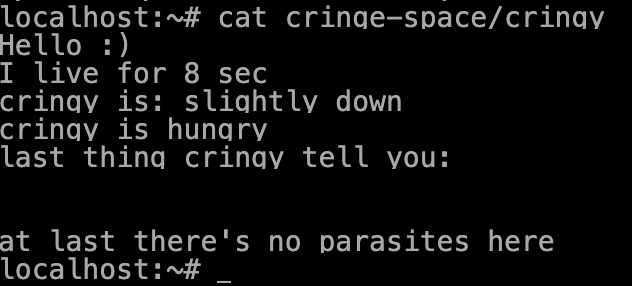
Cringy is a file, and you can interact with it, by writing or reading what's inside.
Source here: https://github.com/cosmo-ray/cringy-file
Spoiler:
In order to answer Cringy needs, you must write stuff in it, so `echo "hug" > cringy-space/cringy` if you want to feed him.
Every time you do an action on Cringy, her state change, so if you want to understand the consequences of your action, you need to re-read what's inside (`cat cringy-space/cringy`)
To remove "parasite", you can simply `rm files` in `cringy-space`
If you want to keep Cringy happy, you might have to write a shell script, `watch MY_SCRIPT.sh` could solve everything, and then you simply look at cringy live it's live.
Of course what's in MY_SCRIPT.sh is up to you.
Comments
Log in with itch.io to leave a comment.
I did an "rm -rf /" is cringy's still ok?
Cringy might not be OK, but alpine chan, thank you for freeing her from her suffering.
Good thing I didn't make a backup of Alpine chan hahaha.